TECH-NOLOGY
TECH FOR Techs
How to make your website more accessible
REBECCA HITCHON gets the scoop on high-tech launches, decodes hot topics & sources tech-savvy tips for your business
When you think about accessibility in your nail business, what springs to mind? Maybe it’s how wheelchair-friendly your space is, or ensuring clients know that silent appointments are available – but do you consider the usability of your website?
In the UK, public sector bodies – including Government organisations and some charities, must ensure their websites meet accessibility regulations, and can be used effectively by those with additional needs or disabilities. As the UK Government website (www.gov.uk) states: “[Accessibility] means making your content and design clear and simple enough so that most people can use it without needing to adapt it, while supporting those who do need to adapt things.”
To adhere to regulations, public sector websites must meet the Web Content Accessibility Guidelines (WCAG) 2.2 at level AA, as well as publish and update an accessibility statement. Thirteen guidelines make up the WCAG, but this information can be best understood by thinking about the principles of perceivability, operability, understandability and robustness.
The UK Government website explains this as follows:
• “To meet WCAG 2.2 Principle 1: Perceivable you need to make sure users can recognise and use your service with the senses that are available to them,” it states. This includes providing text alternatives/alt text; sharing transcripts for audio and video; not using images of text; ensuring your site works with assistive technologies and that every feature can be used when text size is increased.
• Meeting the Operable principle is about letting people ‘find and use your content, regardless of how they choose to access it (for example, using a keyboard or voice commands)’. Ways to do this include allowing moving content to be played, paused and stopped; using descriptive headings and labels, and ensuring interactive elements are big and spaced out enough for easy selection.
• “To meet WCAG 2.2 Principle 3: Understandable, you have to make sure people can understand your content and how the service works,” the UK Government details. This includes letting users log into your platform without having to remember information or solve a problem, and ensuring features are consistent and behave in predictable ways.
• Meeting the Robust principle is about allowing content to be ‘interpreted reliably by a wide variety of user agents (including assistive technologies)’. To do this, your website code must let assistive technologies know what each user interface component is for, and make important messages clear so that users are aware of their presence and purpose.
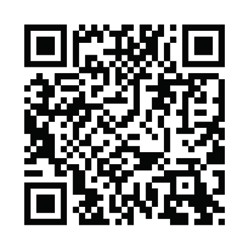
To read the full Web Content Accessibility Guidelines (WCAG) 2.2, scan here.
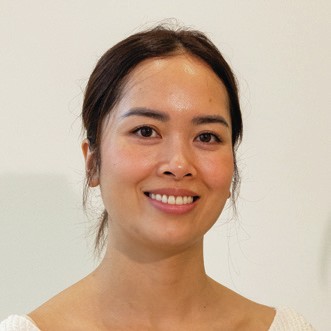
Pham Thuy Nhung
Although nail and beauty businesses aren’t public sector bodies, there are only benefits to adhering to online accessibility regulations – as Buckingham nail salon, Tree Nail Spa, reveals. The Scratch Stars Nail Salon & Nail Team of the Year finalist 2026 strives to meet the Web Content Accessibility Guidelines, and has an accessibility page on its website.
“We wanted to let people know that accessibility is something we actively think about, rather than an afterthought,” shares Tree Nail Spa co-founder, Pham Thuy Nhung. “A dedicated page helps visitors understand the measures we’re putting in place, how they can contact us if they experience any difficulties, and it reassures them that we’re always open to feedback.
“Our website is often the first interaction someone has with Tree Nail Spa, so it’s important that as many people as possible can access the information they need,” Pham continues. “As a service business built around care and wellbeing, inclusivity shouldn’t stop at the salon door. I’ve become much more aware of the importance of accessibility as the business has grown, through conversations with marketing professionals, website developers and by reading up-to-date guidance.”
So how does Tree Nail Spa ensure that its website is accessible? “We’ve worked hard to improve readability, use clear headings and simple navigation, add descriptive alternative text, and make sure that colour contrast and text sizes are easy to see,” Pham tells Scratch. “We also ensure that users can find key information quickly, helping make the website a better experience for all.”
Tree Nail Spa’s accessibility page: www.thepeachmarlow.co.uk/accessibility
“When things are unclear or inaccessible, it can close doorways for certain people and make them feel like they don’t belong. How a business treats people who find it hardest to enter reveals what it values, so a confusing or inaccessible website can lose clients before they even step into a salon.”
Steph Fernandez
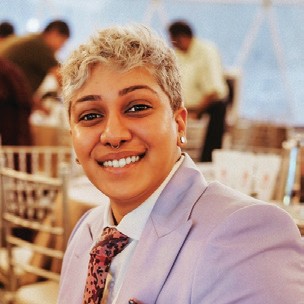
Steph Fernandez
4 TOP TIPS
“When things are unclear or inaccessible, it can close doorways for certain people and make them feel like they don’t belong,” says Steph Fernandez, digital marketing expert at salon software company, Phorest. “How a business treats people who find it hardest to enter reveals what it values, so a confusing or inaccessible website can lose clients before they even step into a salon.”
Steph notes that a 2025 report by Utah non-profit organisation, WebAIM, recorded an average of 51 distinct errors per website homepage. Meanwhile, a 2026 report by the organisation found that users with disabilities expect to hit an error on roughly one in every 26 page elements. “With one in six people living with some form of disability, creating a seamless online experience can set you apart,” Steph reveals.
Here is the expert’s accessibility advice:
• “Write meaningful alt text for images: describe what an image communicates, not just what it shows, so screen reader users get the same context as everyone else.
• “Use clear, distinctive link text: avoid ‘click here’ and ‘read more’, and instead opt for ‘book your appointment’ or ‘read this story’. This means that people navigating by screen reader will instantly know where links lead.
• “Get your colour contrast right: this allows easier reading for people with low vision, as well as anyone who is outdoors, tired or using a dimmed screen.
• “Make content keyboard and caption-friendly: this accommodates people with motor disabilities, Deaf and hard of hearing users, and the huge audience that watches videos on mute.”